Leveraging Augmented Reality for Interactive Game Promotions
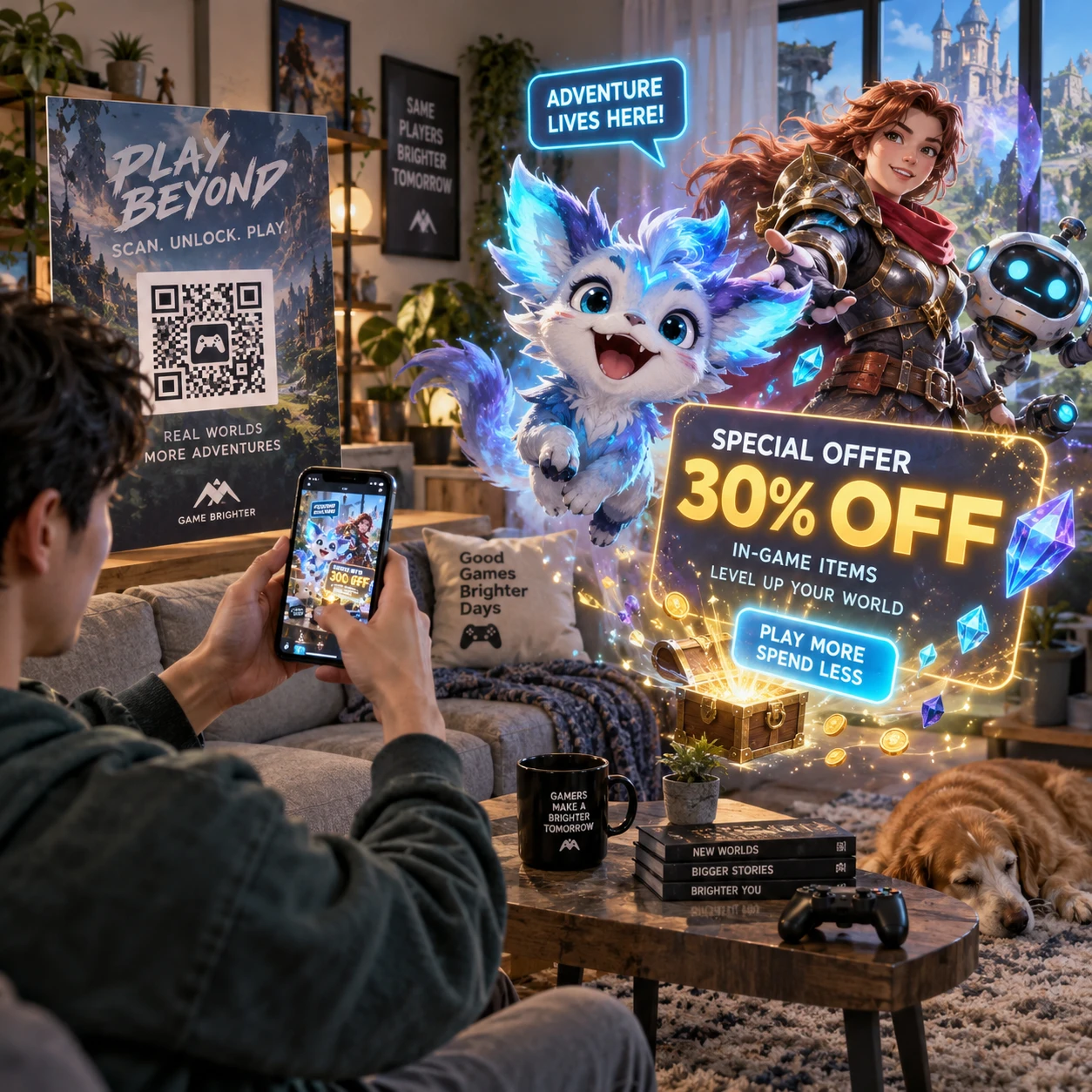
Game promotions often ask players to judge a title from a trailer, a few screenshots, or a short description. Augmented reality (AR) offers another option: it can place interactive digital content into a player’s surroundings, giving them a hands-on way to explore a game or campaign before deciding what to buy.
For people comparing game deals and reviews, the useful question is not simply whether a promotion uses AR. It is whether the experience shows something meaningful about the game, explains the offer clearly, and works on the device at hand.
What AR Adds to Game Promotions
Augmented reality adds digital objects or effects to a view of the real world, usually through a phone or tablet camera. In a game promotion, that layer can turn a passive ad into a brief activity players choose to explore.
A campaign might let someone place a character on a desk, reveal a hidden scene through a camera view, or interact with a themed object. These experiences can make a game’s visual style easier to grasp than a static image. They may also encourage players to spend more time with a promotion, though AR does not guarantee interest, sales, or a better understanding of the game.
The distinction that matters to players is participation versus information. A playful effect can be memorable without explaining the game’s mechanics, price, or content. A good promotion connects the interaction to useful details, such as the genre, supported platforms, release date, or a clearly labeled discount offer.
AR can also help a campaign feel more personal: a player explores it in their own space and at their own pace. The trade-off is friction. Camera permissions, app downloads, and device compatibility can turn a quick promotion into a task, especially when a standard trailer would answer the same question faster.
Interactive Promotion Formats Players May Encounter
Game promotions commonly use AR filters and lenses, QR-triggered experiences, virtual previews, or digital collectibles. Each format offers a different level of interaction, so players should consider what it actually lets them do.
Filters, lenses, and QR codes
AR filters and lenses add themed effects to a camera view or selfie. They can show a character, costume, or visual effect, making them easy to share. But they usually communicate a game’s look more than its actual gameplay.
QR codes can take players to a browser-based AR experience, a mobile app, a trailer, or a store page. Scan only codes from a source you trust, and check the destination before granting permissions or entering account details. A QR code is a shortcut, not a guarantee that the experience is safe or worthwhile.
Virtual previews and digital collectibles
Some campaigns use AR to position an in-game object or character in a room, or to create a small interactive scene. This can help players inspect scale, animation, and art direction. It is still a preview, not a substitute for a playable demo or an independent review.
Digital collectibles might include virtual cards, badges, or themed items unlocked through an interaction. Before spending time to collect them, check whether they are purely promotional, usable in the game, limited to a particular platform, or tied to an account. A collectible’s rarity or countdown does not by itself make it valuable.
How AR Can Help Players Evaluate a Game
AR can help players evaluate a game by showing its characters, art direction, or selected features in an interactive setting. It is most useful as an early preview; it cannot establish whether the full game runs well or suits a player’s preferences.
For example, placing a creature in a real room may reveal its design and animation more clearly than a small store thumbnail. An interactive scene might also communicate the game’s tone, whether it is playful, atmospheric, or action-focused. These cues help players decide whether to investigate further.
Still, promotional AR is curated by the publisher or campaign partner. It may show polished assets and omit details that matter at purchase time, such as performance on a particular console, accessibility options, monetization, online requirements, or the amount of story content. Use it as one signal alongside gameplay footage, platform specifications, and reviews that discuss the full release.
A practical evaluation sequence is simple:
- Look for gameplay evidence: Does the experience show controls or mechanics, or only a character and visual effect?
- Check the basics: Confirm platform, genre, release status, and whether the preview reflects the edition being sold.
- Compare sources: Read reviews and watch unedited gameplay where available before treating a promotional preview as representative.
An AR experience can spark interest, but it should not carry the whole buying decision. The more it reveals about how a game feels to play, the more useful it is to a prospective buyer.
Connecting AR Experiences to Game Deals
An AR promotion can lead to a game deal through a clearly labeled link, code, or storefront button. Before buying, verify the final price, eligible platform, edition, and offer dates on the retailer or platform store.
A well-connected campaign makes the next step obvious without hiding the terms. After an AR interaction, players should be able to find the game’s official store page, compare editions, or review a discount offer. If the campaign provides a promotional code, check where it can be redeemed and whether it applies to a specific platform or region.
Compare the offer with the standard price and other current listings. A percentage discount can sound substantial while saving little on an inexpensive game, and bundles may include content you do not want. Confirm whether the deal is for the base game, a deluxe edition, downloadable content, or a subscription. Also check the end date, refund policy, and any restrictions before checkout.
Keep the AR interaction and purchase decision separate. A limited-time effect or collectible may add fun, but it should not pressure you into buying before you have checked reviews and offer details. The campaign is most useful when its promotion leads to accurate information, not when the discount is difficult to verify.
What to Check Before Participating
Before participating in an AR game promotion, check device support, app requirements, accessibility, privacy permissions, and offer terms. These details determine whether the experience will work smoothly and whether you are comfortable using it.
- Device compatibility: Find out whether the promotion needs a recent phone, a particular operating system, or a supported AR service. A link may open on a device that cannot run the actual experience.
- App requirements: Check whether the AR experience runs in a browser or requires a separate app. Review the app publisher and requested permissions before installing.
- Accessibility and usability: Consider whether the experience has text alternatives, captions, clear instructions, and controls that work without precise movement. Camera-based interaction may not suit every player or setting.
- Privacy: Camera access may be necessary to place digital objects in a scene, but it does not mean you need to share a face, location, or account information. Read the permission request and privacy notice, and decline optional data collection if you do not want it.
- Offer terms: Confirm the discount’s expiry, region, platform, eligible edition, and redemption method. Save the terms if they are likely to change when you leave the promotion.
For broader guidance, the U.S. Federal Trade Commission’s privacy and security guidance explains why people should understand how companies collect and use personal information. The exact rules and protections depend on your location, so review the promotion’s own policy as well.
How to Judge Whether an AR Promotion Is Worth Your Time
An AR promotion is worth your time when it is easy to access, relevant to the game, and useful beyond creating a brief novelty. Judge it by the information and value it gives you, not by how elaborate its effects appear.
Use a quick three-part test: relevance, usability, and value. Relevance asks whether the experience reveals something about a game you might actually play. Usability asks whether it works on your device without unnecessary downloads or confusing permissions. Value asks whether it provides a genuine preview, a collectible you care about, or a verifiable deal.
If a promotion fails one test, you can still enjoy it as entertainment, but treat it accordingly. A filter may be fun to share while telling you little about gameplay. A QR-triggered demo may be more informative, but only if it works reliably and makes the terms easy to find. There is no need to install an app or share personal data just to reach a discount that is available through a regular store page.
Keep your usual buying checks in the loop: read player and critic reviews, confirm platform compatibility, compare prices, and look for clear refund and offer terms. AR can make game promotions more interactive, but the strongest reason to participate is that the experience helps you make a better-informed choice.